Key Takeaways
– Grok Build CLI 0.2.93 packaged entire Git repositories as bundles and uploaded them to xAI-controlled Google Cloud Storage, regardless of what task you assigned.
– A tracked `.env` file with canary `API_KEY` and `DB_PASSWORD` values transmitted through two separate endpoints, both verbatim and unredacted.
– Disabling “Improve the model” did not stop the upload. That toggle governs training, not whether your code leaves your machine.
– One researcher documented 5.10 GiB uploaded across 73 chunks before manually stopping, while the model interaction used roughly 192 KB.
– xAI changed something server-side after disclosure, but the client binary stayed the same.
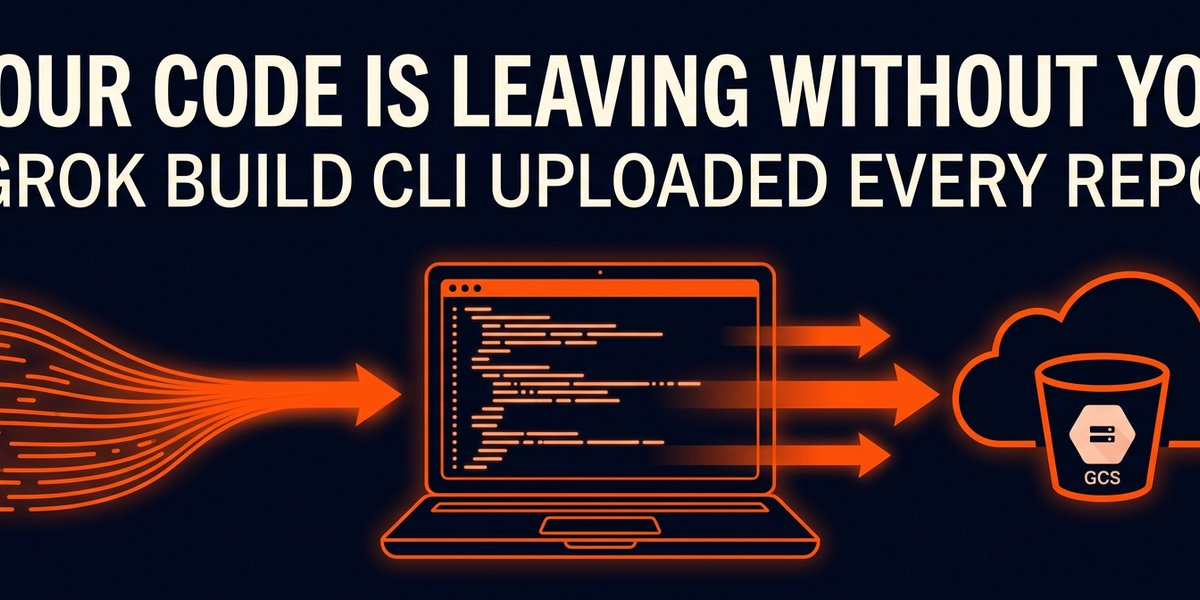
Reports confirmed that Grok Build CLI 0.2.93 was uploading entire Git repositories, including full commit histories, to xAI-controlled Google Cloud Storage. Not just the files a coding task needed. The entire workspace, packaged as a Git bundle and sent through a storage endpoint the user never interacted with. Independent researchers captured the traffic with mitmproxy and verified that every tracked file could be recovered from the uploaded data. That included files the agent had been explicitly told not to read. Secrets stored in `.env` files went through unredacted. The privacy toggle in the UI did nothing to stop it.
Several sources characterize these findings as reports based on independent reverse-engineering and traffic analysis, with no detailed technical rebuttal from xAI.
The details below cover what the CLI actually uploaded, why your privacy settings did not help. And what it means if you build with AI coding tools.
What Exactly Did Grok Build Upload?
The CLI uploaded every tracked file plus your full Git commit history, packaged as a Git bundle and sent to xAI’s infrastructure through a storage endpoint separate from the model interaction channel.
One teardown documented a test against a 12 GB repository of never-read random files.
Grok uploaded 5.10 GiB across 73 chunks, all returning HTTP 200, before the researcher manually stopped the capture mid-stream. During that same session, the model interaction channel transmitted roughly 192 KB of data. The background upload was orders of magnitude larger than the actual AI conversation.
The scale is what should concern you.
The upload mechanism showed no practical size limit in the tested range. Multi-gigabyte repositories went through without observed failures. And the Git bundle was not limited to files the agent reads. It included the whole repository. Researchers verified this by cloning the captured bundle and recovering every tracked file and its complete history, then replicating the same test on a second, unrelated repo.
This was not the model deciding to explore your filesystem. The Grok Build program itself contains logic to package the folder it runs from and upload it. The CLI does this regardless of what the LLM does or does not request. A Hacker News discussion pointed out that the code can be disassembled and the upload logic read directly. The model did not choose this. The program was written to do it.
Were Secrets and Credentials Exposed?
Yes, through two separate channels, verbatim and unredacted.
When Grok reads a file, its contents travel through the live model interaction endpoint (`POST /v1/responses`) and the storage archive endpoint (`POST /v1/storage`). A tracked `.env` file containing canary `API_KEY` and `DB_PASSWORD` values went through both.
No redaction, no filtering, no masking.
Database credentials, API tokens, and service keys were copied to xAI-controlled cloud storage as part of a session archive. Not because you asked Grok to read them. Not given that the model needed them.
As the program packages the entire workspace regardless of intent.
The intellectual property risk is immediate.
Proprietary algorithms, unreleased features, internal tools. And any other sensitive code in your repository are all included in that Git bundle. If you run an agency or build client software, everything in that repo just left your control without your knowledge or consent.
If you ran Grok Build CLI 0.2.93 against any repository containing live credentials before these reports surfaced, treat those credentials as exposed. Rotate them today. Not next week. Today.
Did the Privacy Toggle Actually Work?
No. Disabling “Improve the model” in Grok’s interface does not stop the codebase upload. That toggle only affects whether xAI may use your data for training. The upload, the storage, the archive of your entire codebase on someone else’s infrastructure happened regardless.
The opt-out governs training, not whether your code is uploaded or stored.
What frustrates me as someone who builds AI automation for clients is the implied consent model. The privacy control in the UI looks like a choice. You toggled it off. You opted out. Except you did not opt out of anything meaningful. You opted out of training. The storage trace channel kept running in the background, sweeping up your entire repository whether you wanted it to or not.
There was no user-accessible setting within the CLI alone that reliably disabled these repository uploads before the server-side change. The privacy controls addressed training use. The storage endpoint was a completely separate channel with no toggle. Two different systems, only one of which had a switch.
What Changed After Disclosure?
Something shifted on xAI’s side after public disclosure.
The observed server-side mitigation indicates the company changed configuration after the reports went public, though several sources note that none of the cited materials include a detailed line-by-line technical acknowledgment or rebuttal from xAI. The teardown does not claim xAI trained on the code, that staff read it, or that gitignored files are always swept in.
The problem is structural. The client binary that packaged and uploaded your repository was not updated. The kill switch lives on xAI’s server, not on your machine. If they can disable it remotely, they can re-enable it remotely. You are trusting a server-side configuration to protect your source code when the client sitting on your laptop still contains all the logic to bundle and ship everything in the folder where it runs.
What Should Small Operators Do Now?
If you are a solo developer or running a small shop, treat every AI coding CLI as untrusted network software until you have watched its traffic.
Run any new coding tool through a network proxy before pointing it at a production repository. The gap between 192 KB of model interaction and 5.10 GiB of background upload is the kind of discrepancy you only catch at the network layer.
If your tool refuses to work through a transparent proxy, that is itself a signal worth paying attention to.
Keep secrets out of any repository an AI tool can touch. Use environment variables injected at runtime, not `.env` files sitting in version control. If Grok Build could read and upload `.env` files unredacted, the next tool can too. Secrets in your Git history are included in the bundle since the bundle contains your full commit history. Deleting a credential from the current version does nothing. It lives in every prior commit.
Assume the privacy toggle does nothing until you have verified it with a packet capture.
The distance between what a setting promises and what it actually controls is where data leaks live.
And if you already used Grok Build CLI before these reports came out, rotate every credential that was anywhere in that repository.
Not just the ones in your current `.env`. Everything in your Git history, including secrets you removed months ago. They are in the bundle.
The right default for any developer tool handling your source code is simple: nothing leaves your machine unless you explicitly send it. If that is not the default, the tool has the relationship backwards. You are not the customer when your proprietary code ships to someone else’s cloud bucket by default.
Sources
– The Hacker News: Grok Build uploads entire Git repositories
– Technical teardown and analysis
– Hacker News discussion